How to Pay Sui Gas Bill Online (JazzCash, EasyPaisa)
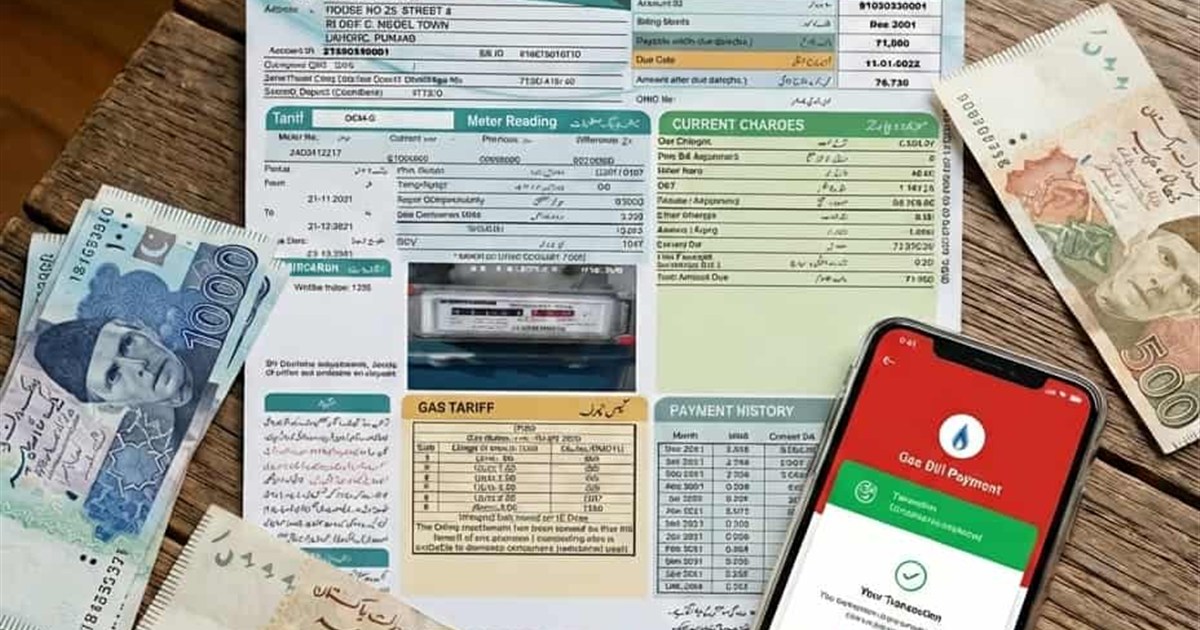
Tired of standing in long bank queues? You can pay your SNGPL and SSGC gas bill through mobile wallets like JazzCash and EasyPaisa, internet banking, mobile banking, and other supported channels. The important part is not just paying it, but paying the correct bill and keeping proof in case the status takes time to update.
Source check
Last checked: July 2, 2026. Wallet fees, app menus, and payment limits can change. Confirm any fee inside your JazzCash, Easypaisa, or banking app before approving payment.
Quick Summary
- Check your latest bill before paying.
- Select the correct gas company: SNGPL or SSGC.
- Enter the correct consumer number, account ID, or customer number.
- Keep your receipt or transaction ID as proof.
- Allow some time for the gas company's bill status to update.
Before You Pay Your Gas Bill
Before making a payment, always check your latest bill details first. Look at the payable amount, due date, previous balance, late payment surcharge, and whether the bill is already marked as paid.
You can view your bill online using our SNGPL bill checker or SSGC duplicate bill tool.
If you also need to check electricity bills, you can use iBill.pk to check bills from Pakistani electricity distribution companies online.
To estimate your gas usage before paying, use our gas bill calculator.
What Details Do You Need to Pay Your Gas Bill?
- Consumer Number / Account ID for SNGPL bills.
- Customer Number for SSGC bills.
- Bill amount and due date.
- Sufficient balance in your bank account or mobile wallet.
- Correct company selection so you do not pay SNGPL when your bill is SSGC, or the other way around.
1. Pay via JazzCash App
JazzCash is one of the most popular methods for utility bill payments in Pakistan.
- Open the JazzCash App and log in.
- Tap on the "Utility Bills" icon.
- Select "Gas" from the bill type menu.
- Choose your provider: SNGPL (North) or SSGC (South).
- Enter your Consumer Number (scanned from old bill) and tap "Fetch Bill".
- Review the amount and due date, then enter your MPIN to confirm payment.
- You should receive a confirmation SMS or in-app receipt after the payment is submitted.
2. Pay via EasyPaisa App
EasyPaisa offers a similar seamless experience for gas bill payments.
- Launch the EasyPaisa App.
- Select "Bill Payment".
- Choose "Gas".
- Select Sui Northern (SNGPL) or Sui Southern (SSGC).
- Enter your Consumer Number/Account ID.
- Tap "Next" to see the bill status (Paid/Unpaid).
- Click "Pay Now" and save the confirmation message or receipt.
3. Internet & Mobile Banking
Most major Pakistani banking apps support utility bill payments, including gas bill payments.
- Login: Access your bank's mobile app or web portal.
- Navigate: Go to "Bill Payments" > "Utility" > "Gas".
- Add Biller: Select SNGPL or SSGC and enter your Consumer Number.
- Pay: Verify the details and proceed with the transaction.
Avoid Late Fees!
It is recommended to pay your gas bill at least 1-2 days before the due date where possible. You usually receive payment confirmation immediately, but your gas company's bill status may take some time to update.
Payment Deducted But Bill Not Updated?
If your payment is deducted but your gas bill still shows unpaid, do not panic. This can happen when the wallet or bank confirms your transaction before the gas company's bill status refreshes.
In some cases, it may take up to 24 hours or longer for the bill status to reflect, depending on the payment channel and company update cycle.
- Keep your transaction ID, receipt, or confirmation SMS.
- Wait a few hours and check the bill again online.
- Open the same app or bank channel and check payment history.
- Contact your bank or wallet provider first if the amount was deducted from their side.
- If the issue remains unresolved, contact the gas company helpline with your consumer number and transaction proof.
If you need the correct helpline or office, use our gas helpline directory.
How to Confirm Your Gas Bill Is Paid
- Open the same app, bank portal, or website you used for payment.
- Fetch your bill again using the consumer number or customer number.
- Check if it shows "Paid", "Bill Already Paid", or zero payable balance.
- Verify the transaction in your app's payment history.
- Save the receipt or transaction ID until the next bill is generated.
Payment Charges and Limits
JazzCash has previously listed utility-bill fee tiers such as Rs. 5 for the first 3 monthly bill payments, with higher fees after that depending on the bill amount. EasyPaisa and bank mobile apps may have their own fee structures - some bank apps offer free utility bill payments.
Transaction limits can also apply. If your gas bill is unusually high and the payment fails, check your wallet or bank limit before trying again.
Common Gas Bill Payment Mistakes
- Selecting the wrong company, such as SNGPL instead of SSGC.
- Typing the wrong consumer number, account ID, or customer number.
- Paying from a wallet or bank account with insufficient balance.
- Waiting until the last day and then facing app, network, or payment delays.
- Making a duplicate payment because the bill status did not update immediately.
- Closing the app before saving the transaction ID or receipt.
If you accidentally make a duplicate payment, contact your bank or wallet provider with your transaction details for further guidance.
Other Ways to Pay Your Gas Bill
For SNGPL, official payment channels include internet banking, mobile banking, the SNGPL mobile app, branchless banking apps like Easypaisa and JazzCash, ATMs, NADRA kiosks, scheduled banks, and GPO/NPO post offices.
For SSGC, use the official SSGC bill/payment options or supported wallet and banking apps. JazzCash and Easypaisa both list SSGC among supported gas bill payment companies.
Official references
To avoid missing future bills, you can also enable SMS and email alerts.
Related reading
Frequently Asked Questions
Is there a fee for paying online?
Payment charges depend on the method you use. Wallet fee tiers can change, and some banking apps may offer free utility bill payments. Check your specific app or bank for the current fee before approving payment.
How long does it take for the payment to update?
You usually receive payment confirmation immediately, but the gas company's bill status may take some time to update. Keep the transaction ID as proof.
How to check if gas bill is paid or not?
If you paid via JazzCash, EasyPaisa, or your bank, the easiest way to check is to open the same app, navigate to Gas Payments, and enter your Consumer Number again. If the system says "Bill Already Paid" or shows a payable amount of Rs. 0, your payment was successful. Remember, the official SNGPL/SSGC website might take a few days to reflect the updated status.
What should I do if payment is deducted but the bill is not updated?
Keep your transaction ID or receipt, wait for the system to update, recheck your bill online, and contact your bank or wallet provider first. If the issue remains unresolved, contact the gas company with your payment proof.
When should I pay my gas bill online?
Where possible, pay at least 1-2 days before the due date. That gives you time to handle wallet, banking, or update delays before late-payment issues begin.
Shahzaib Qureshi
Shahzaib Qureshi is the public editorial name for SuiGas.com.pk. The site publishes practical, source-backed guides to help Pakistani consumers understand SNGPL and SSGC bills, tariff changes, duplicate bill access, payment options, and common billing issues. SuiGas.com.pk is independent and is not affiliated with SNGPL, SSGC, OGRA, or any government department.